


Introduction
We all know how important the heart is in the human body, it keeps us alive and helps us connect with others. Just like the heart keeps us alive, the motherboard keeps a computer running. It’s the central hub that connects all the parts so they can work together.
In this post, we’ll take a look at the three main types of motherboard, EATX, ATX, Micro-ATX, and Mini-ITX. Each one has its own perks, and knowing the differences can make building your dream PC a whole lot easier. Whether you’re going all out with a gaming setup or keeping things small and simple, there’s a motherboard that fits just right. Now, let’s explore them all.
Form Factors of Motherboard
When you’re picking a motherboard, the first thing most people think about is whether to go for Intel or AMD. But that’s not the only choice you’ll make, another important thing to consider is the form factor. This basically decides what case you can use, how many storage drives you can add, and how much RAM you can fit in. The most common sizes are EATX, ATX and Micro-ATX, but Mini-ITX is also getting a lot of love lately for its super compact design.
Let’s take a closer look at each one.
What is ATX?
An ATX motherboard is one of the most common types you’ll find in desktop PCs. ATX stands for Advanced Technology eXtended, a standard that Intel introduced back in the mid-90s and it’s still super popular today. An ATX motherboard is 305 x 244 mm in size, which makes it a good fit for most mid-size and full-size PC cases.
If you pick an ATX motherboard, you’ve got lots of space to work with. Most boards come with 2 or more PCIe slots and 2 to 4 RAM slots, which is more than enough for a high-performance PC or creative workstation. You’ll also get several M.2 slots for super-fast storage, though the exact number depends on the model. In short, ATX boards are perfect if you want a system that can handle big upgrades and grow as your needs do.
The larger size of ATX boards gives you more room for all your components, with extra slots for RAM, graphics cards, storage drives, and other upgrades. That’s why ATX motherboards are a go-to choice if you want a PC that’s powerful, customizable, and ready for the future.
Advantages of the ATX Motherboard
ATX motherboards come with plenty of perks. They give you room for multiple expansion cards like graphics or sound cards, extra RAM and M.2 slots for fast storage, and lots of connectivity options. They also handle high-performance components better, with improved cooling and easier installation. All of this makes ATX boards a great choice for gamers, content creators, or anyone who wants a powerful, upgradeable PC.
Example:
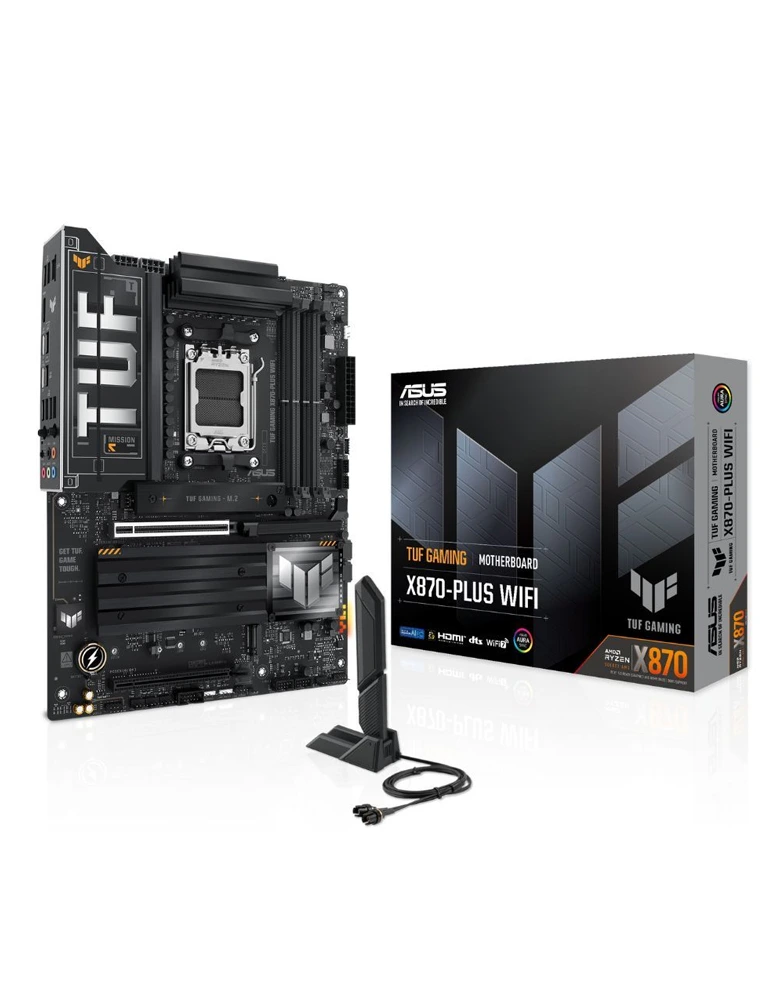 ASUS TUF Gaming X870-Plus WiFi DDR5 AMD Motherboard
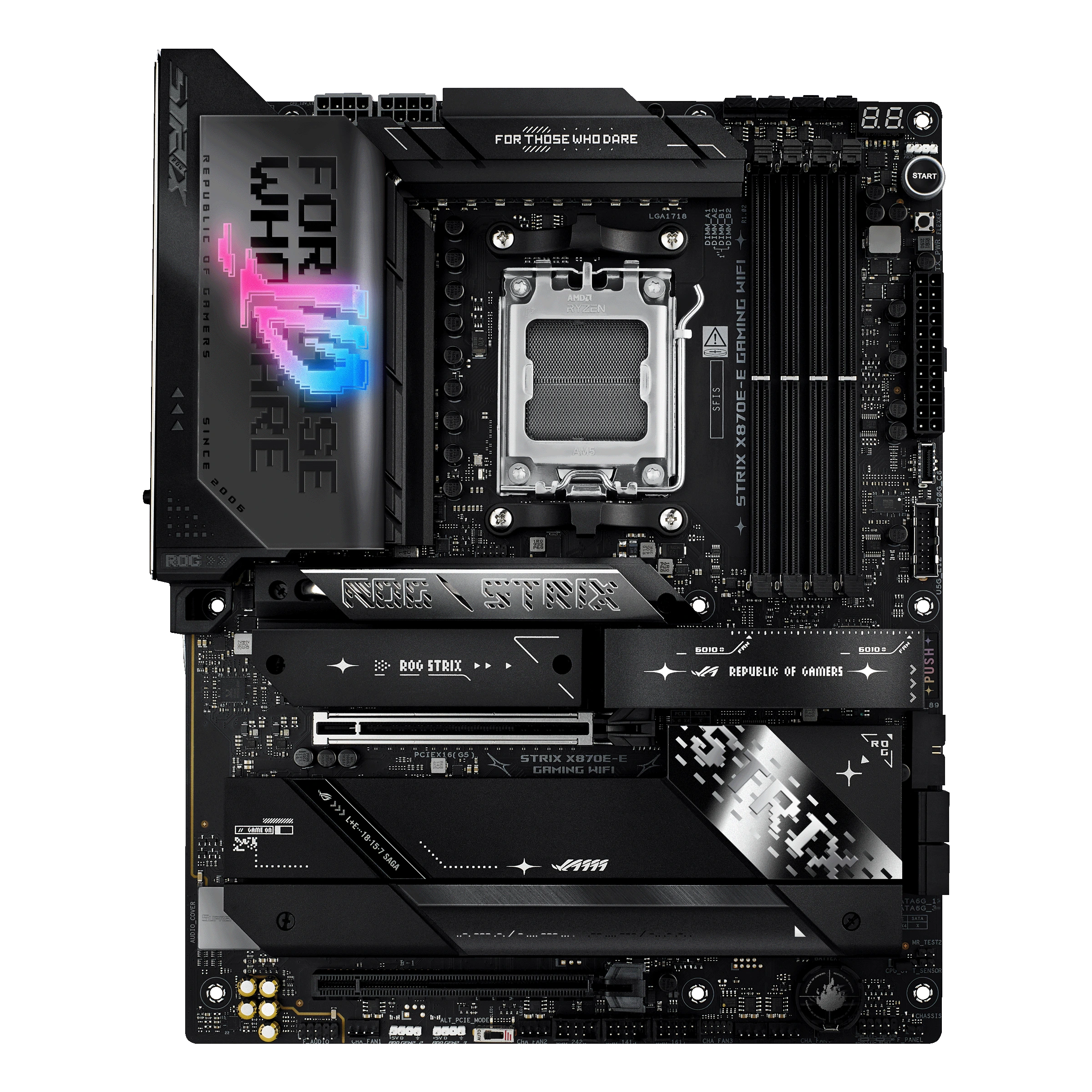
ASUS ROG Strix X870E-E Gaming WiFi AMD PCIe 5.0 Motherboard
What is a Micro-ATX Motherboard?
Micro-ATX (mATX) is basically a smaller version of the standard ATX motherboard, measuring about 244 x 244 mm. It’s a great middle ground if you want a PC that doesn’t take up too much space but still gives you solid performance. Since it’s smaller, it has fewer slots and ports compared to a full ATX, so it’s not the best option if you need dual graphics cards or tons of extra connections.
The nice thing about mATX boards is that they can still fit into ATX cases, which is useful if you’re upgrading. But if you’re building a brand-new PC, it’s usually better to match it with a Micro ATX case, you’ll save space while still keeping all the essentials. Most mATX motherboards come with up to four (4) RAM slots, 1 to 2 PCIe slots for graphics cards, and 1 to 2 M.2 slots for storage, making them a solid pick for a mid-range build that balances performance and size.
Advantages of the Micro-ATX Motherboard
Micro ATX motherboards are smaller than ATX but not as tiny as Mini-ITX, making them a practical middle choice. They’re more compact than full-sized ATX boards, which makes them easier to fit in smaller cases, but they still pack enough power for most builds. They usually cost less too, which is great if you’re building a PC on a budget.
Even though they’re smaller, mATX boards can still run powerful processors and graphics cards, so you don’t have to worry about losing too much performance. Plus, many come with extras like Wi-Fi, Bluetooth, and M.2 slots for super-fast SSDs. This makes them a solid choice if you want a PC that saves space, stays affordable, and still gives you the features you need.
Example:
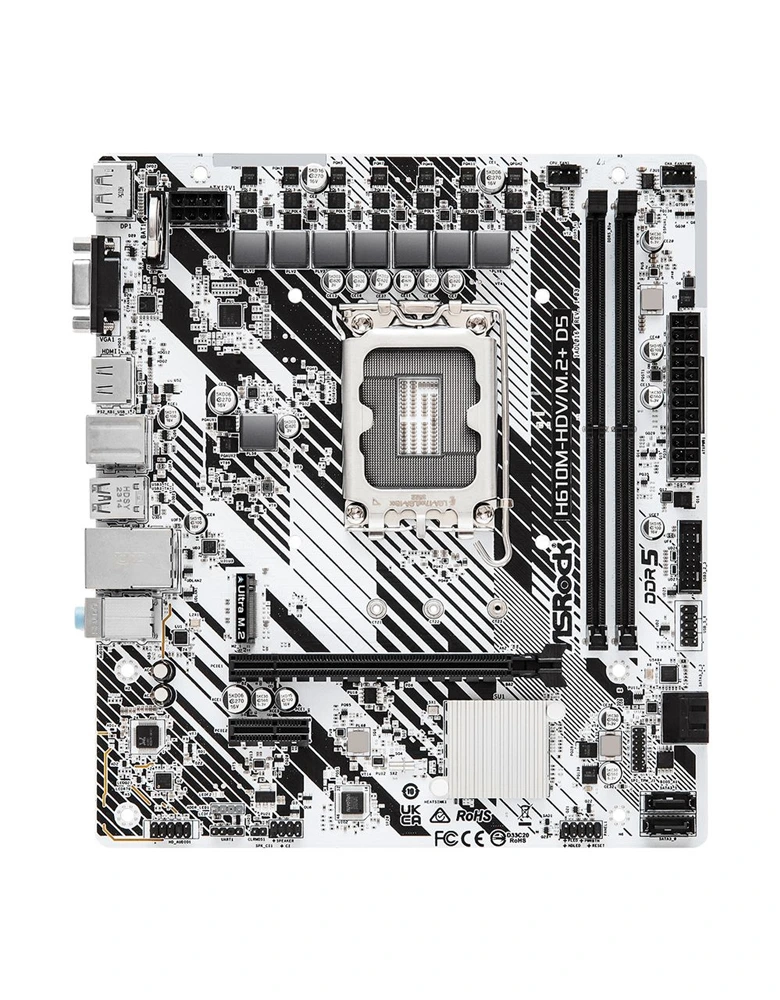
ASRock H610M-HDV/M.2
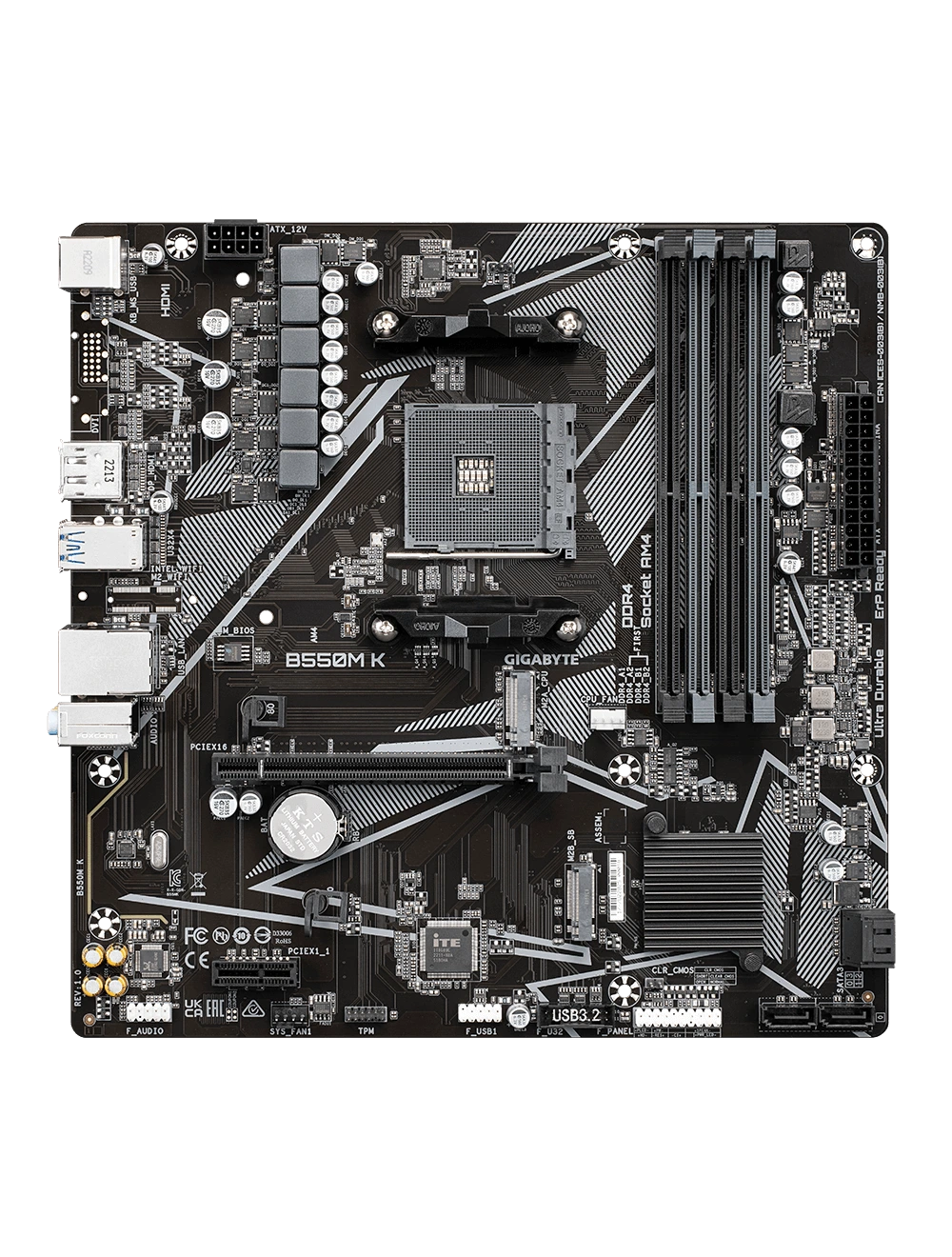
Gigabyte B550M K Ultra Durable AMD Motherboard
What is a Mini-ITX Motherboard?
Mini-ITX motherboards are the smallest standard size at just 170 x 170 mm, making them perfect for compact and space-saving builds. Despite their tiny size, they can still run powerful parts and give you a high-performance PC that can fit in cases even smaller than most game consoles.
With a Mini-ITX board, you usually get two (2) RAM slots, one (1) PCIe x16 slot for a graphics card, and one (1) to 2 M.2 slots for storage. The catch is you don’t get as many expansion options compared to ATX or Micro-ATX, but that’s the trade-off for keeping things small. If you’re aiming for a portable PC, a neat minimalist setup, or just a build that doesn’t take up too much space, Mini-ITX is a solid choice.
Advantages of the Mini-ITX Motherboard
Mini ITX motherboards are all about saving space, which makes them perfect for small and compact PC builds. They’re great if you want a setup that’s easy to carry around, whether for a clean desk build, a console-like PC for your TV, or even something portable for LAN parties.
Because of their small size, they usually use parts that don’t need as much power, which means less heat and lower energy use. Still, don’t let their size fool you, many Mini ITX boards can run powerful CPUs and, if you pick the right parts, even strong graphics cards. Basically, you get a capable little system packed into a neat, space-friendly package.
Example
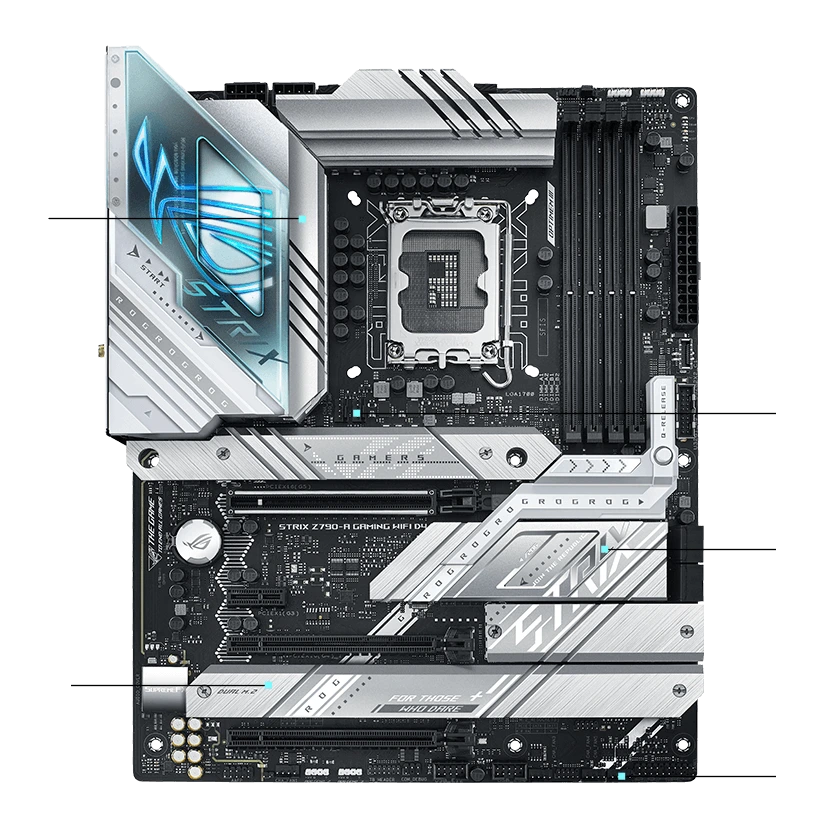
Asus ROG Strix Z790-A Gaming Wifi D4 Motherboard
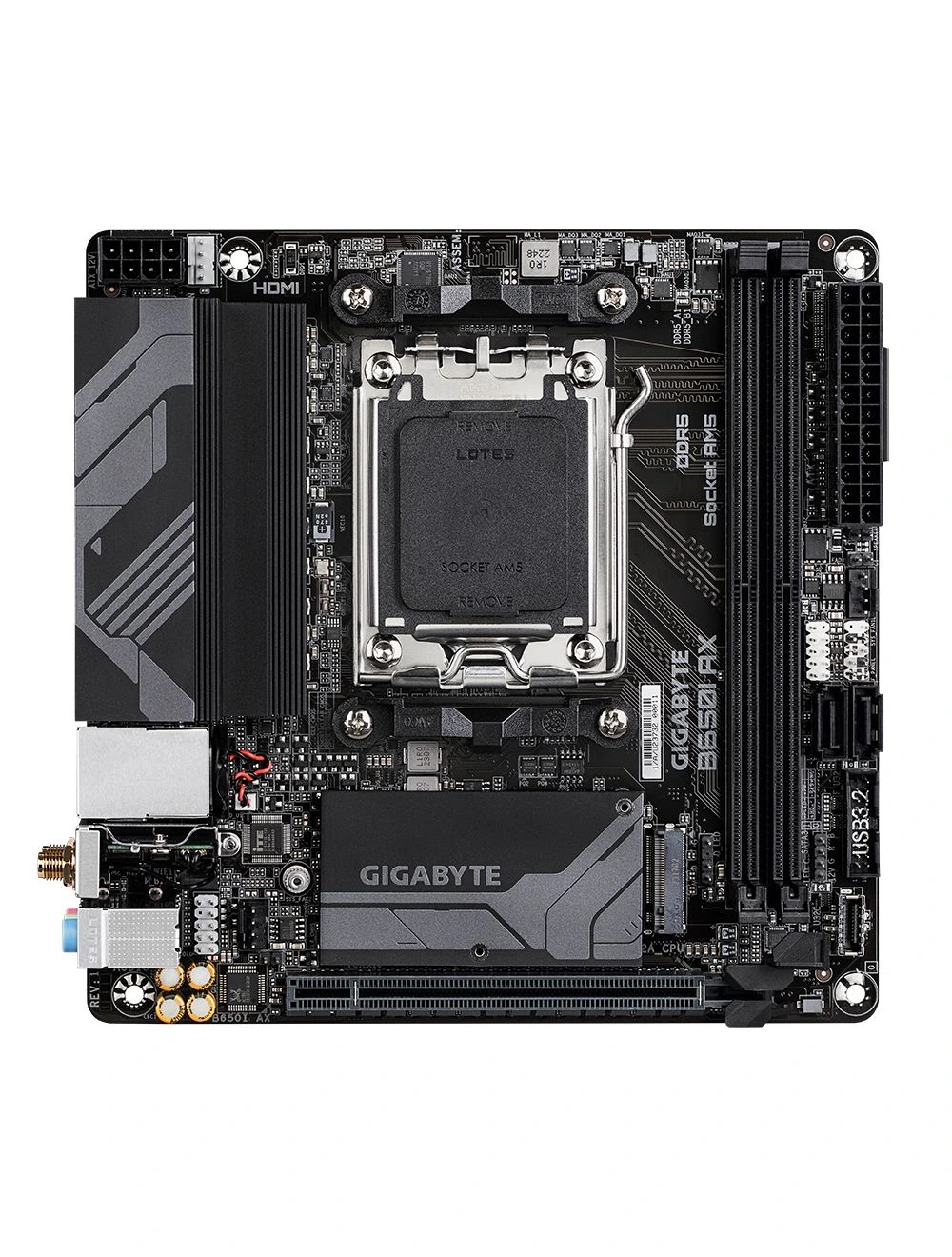
Gigabyte B650I AX AMD Socket AM5 DDR5 Ultra Durable Mini-ITX Motherboard
What is EATX or Extended ATX?
E-ATX, or Extended ATX, is just a bigger version of the standard ATX motherboard. The extra space means you get more room for things like extra RAM slots and PCIe slots for multiple graphics cards or faster storage. Some models can even handle quad-GPU setups and up to 8 RAM slots, giving you as much as 256GB of memory. This makes them great for heavy tasks like video editing, 3D work, or crypto mining. Since they’re large, you’ll need a full tower case, and they usually cost more, so they’re best for enthusiasts and power users who want top performance.
Advantages of EATX Motherboard
E-ATX motherboards are bigger than regular ATX boards, which means they give you more room to add powerful parts. They often come with extra PCIe slots, so you can use multiple graphics cards or super-fast storage. Most of them also have six to eight RAM slots, letting you add a lot more memory for heavy tasks.
You’ll usually find more SATA ports and M.2 slots too, so you can connect plenty of hard drives and SSDs. Because of all this, E-ATX boards are great for power users, professionals, and PC enthusiasts who want top performance and room to expand.
Example:
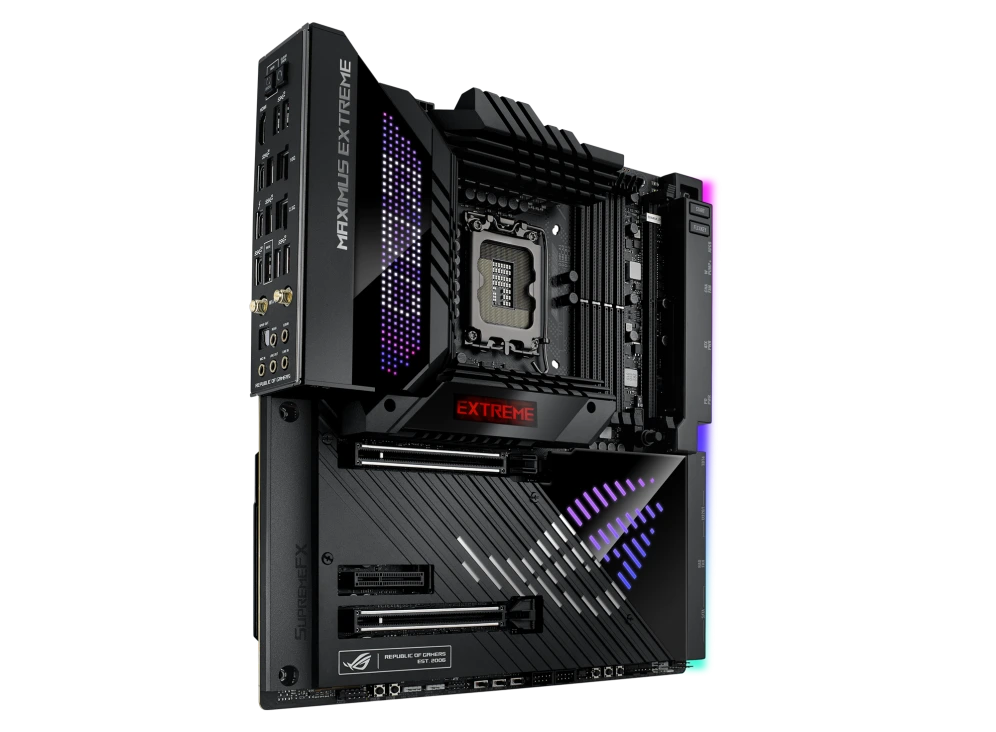
Asus Rog Maximus Z790 Extreme
ASUS ROG Crosshair X670E Extreme
When choosing a motherboard, the main difference between ATX, Micro-ATX, Mini-ITX, and EATX is their size, and that size decides how many parts you can plug in.
ATX motherboards are big, but EATX boards are even bigger, letting you add more RAM, graphics cards, and other parts. Since it’s large, it has the most room for upgrades, like more RAM, extra graphics cards, and other add-ons. It’s perfect if you want a powerful setup with lots of options, but you’ll need a bigger case to fit it in.
Micro-ATX (mATX) is smaller and usually cheaper than ATX. It still gives you plenty of features for gaming, work, or everyday use, just with fewer slots. It’s a good choice if you want a nice balance between power, space, and price.
Mini-ITX is the smallest. It’s made for super compact builds that don’t take up much room, like a console-sized PC. The catch is you get fewer slots (usually only 2 RAM slots and 1 slot for your graphics card), so you have to choose parts carefully. But if you want a small, clean, and portable setup, it’s a solid pick.
EATX motherboards give you lots of room for extra parts, like more RAM, graphics cards, and other add-ons. They’re great for high-end PCs, workstations, or servers that need top performance.
| Form Factor | Size | RAM Slots | PCIe x16 Slots (GPU) | Total PCIe Slots | Notes |
| EATX | Largest (305 x 330mm) | 6 to 8 | 2 to 4 | 6 to 8 | Largest motherboard type and works best in cases that have plenty of space inside
|
| ATX | Large (305 x 244mm) | 2 to 4 | 1 to 2 | 4 to 7 | High performance builds, lots of upgrade |
| Micro - ATX
|
Medium (244 x 244mm) | Up to 4 | 1 to 2 | 2 to 4 | Balanced Builds, budget-friendly, smaller cases |
| Mini - ITX | Smallest (170 x 170mm) | 2 | 1 | 1 to 2 | Compact PCs, portable bilds, minimalist setups |
| Motherboard Form Factor | Size and Features | Pros | Cons | Notes |
| EATX | Biggest size, more slots for RAM, GPUs and storage. Larger than ATX | Give more room for components thanks to a bigger interior, making it easier to add extra parts | EATX systems cost more, are bigger, and heavier, so they're less portable than smaller builds. | EATX boards are great for creators, engineers, and who need a powerful PC with lots of space extra parts |
| ATX | Big size, lots of slots for RAM, GPUs, and storage | Lots of upgrades, great cooling, perfect for high-performance builds | Needs big cases, takes more space, can be expensive, cable management can be tricky | Gamers, power users, anyone who wants to keep upgrading |
| Micro ATX | Medium size, fewer slots than ATX but still solid | Smaller case friendly, still powerful, often includes WiFi/Bluetooth | Fewer expansion slots, not ideal for multiple GPUs or heavy storage, limited high-end options | Budget builds, casual gamers, balanced performanceand size |
| Mini ITX | Smallest, compact and portable | Super small and portable, clean look, can still handle strong CPUs/GPUs | Limited slots small cases may run hotter, parts can cost more, trickier to build | Small form factor PCs portable builds, mnimalist setups |
Conclusion
Choosing the right motherboard depends on the size and what you want your PC to do. ATX boards are big and give you lots of room for upgrades like extra RAM, graphics cards, and storage. Micro-ATX boards are smaller but still powerful, offering a good balance between size, features, and price. Mini-ITX boards are the smallest, perfect for compact or portable builds. EATX boards are the largest, giving the most space for high-performance setups and multiple components. No matter what you need, gaming, content creation, or everyday use there’s a motherboard that fits your build
At the end of the day, just go with the size that fits your space, budget, and needs, and you’ll have a motherboard that’s perfect for your dream PC.











Comments