
Did you know your mouse grip is the hidden key to your gaming style? Or it can be your ultimate game changer?
Mouse grip plays an important role in ensuring both comfort and performance, especially in gaming. The way you grip the mouse influences the interaction between your hand and wrist, which in turn affects precision, speed, and control. There are three primary mouse grip styles: palm, claw, and fingertip grip.
Selecting the appropriate grip can help minimize strain, enhance aiming accuracy, and improve the overall gaming experience. In this article, Let's explore the significance of mouse grip, the differences between styles, and how to choose the right mouse for their gaming needs.
Types of Mouse Grips
A. Palm Grip
Description and Characteristics
The palm grip allows full contact between your palm and fingers on the mouse, enhancing grip and enabling movement from the forearm and elbow. This grip is comfortable and stable, offering great control and precision, making it ideal for users with larger hands.
Advantages and Disadvantages
The benefits are great comfort for long gaming sessions, better control and stability, and less strain on the fingers. On the downside, it can lead to slower cursor movement and less accurate aiming compared to other grips.
Best Use Cases
The palm grip can influence your gaming by affecting your precision, speed, and comfort, based on the game and personal preferences. It's best suited for slower-paced game types like real-time strategy “(RTS)”, simulation games, and MMORPGs.
B. Fingertip Grip
Description and Characteristics
The fingertip grip style involves using only the fingertips to control the mouse, with the palm lifted off the surface. This grip emphasizes speed and precision, making it a favorite among gamers who need quick reactions and flick shots. It is particularly effective with smaller mice, making it an excellent choice for users with smaller hands.
Advantages and Disadvantages
The fingertip grip allows for quick cursor movement and exceptional precision for aiming and small adjustments, while its limited contact with the mouse helps reduce palm sweat. However, it requires constant finger tension, which can lead to strain and fatigue during long sessions. Additionally, this grip offers minimal wrist support, potentially causing discomfort over time, and may result in less stability and accidental clicks.
Best Use Cases
The fingertip grip is ideal for fast-paced, precision-focused game genres, especially first-person shooters (FPS), Multiplayer Online Battle Arenas (MOBAs), and battle royale games. Its design allows for quick cursor movements and repetitive actions, making it a solid choice for general use as well.
C. Claw Grip
Description and Characteristics
The claw grip is a mouse grip style where the palm rests on the back of the mouse and the fingers are curved to press the buttons. This grip combines the stability of a palm grip with the precision of a fingertip grip, allowing for quick wrist and arm movements as well as fine adjustments with the fingers. It’s designed to fit many hand sizes, but it might not feel as comfortable for users with smaller hands.
Advantages and Disadvantages
The claw grip offers a strong balance between precision and stability, allowing for quick, agile movements that are ideal for fast-paced gaming. However, it can lead to finger strain since the fingers lack support, and it may be uncomfortable for users with smaller hands, resulting in reduced stability.
Best Use Cases
The claw grip is ideal for scenarios that demand a combination of speed and precision, making it particularly well-suited for fast-paced games such as FPS, MOBAs, Third-Person action games, and RTS titles.
Factors to Consider When Choosing a Grip
A. Hand size and shape Hand size and shape significantly affect the most comfortable mouse grip style.
Mice with a taller back are better suited for palm grips, while flatter, shorter mice are ideal for fingertip grips. It's important to choose a mouse that matches your hand size and grip preference for optimal comfort and control.
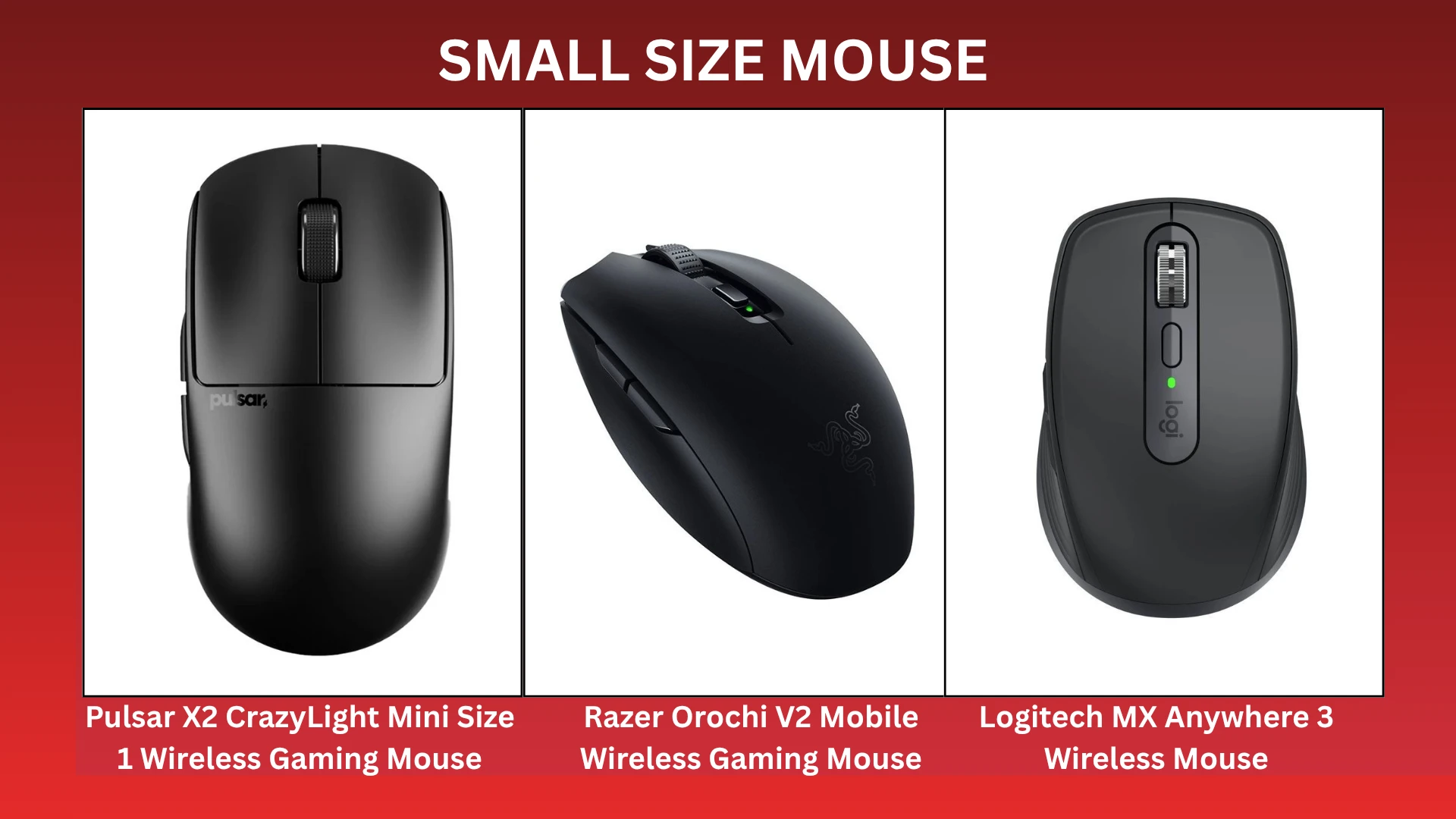
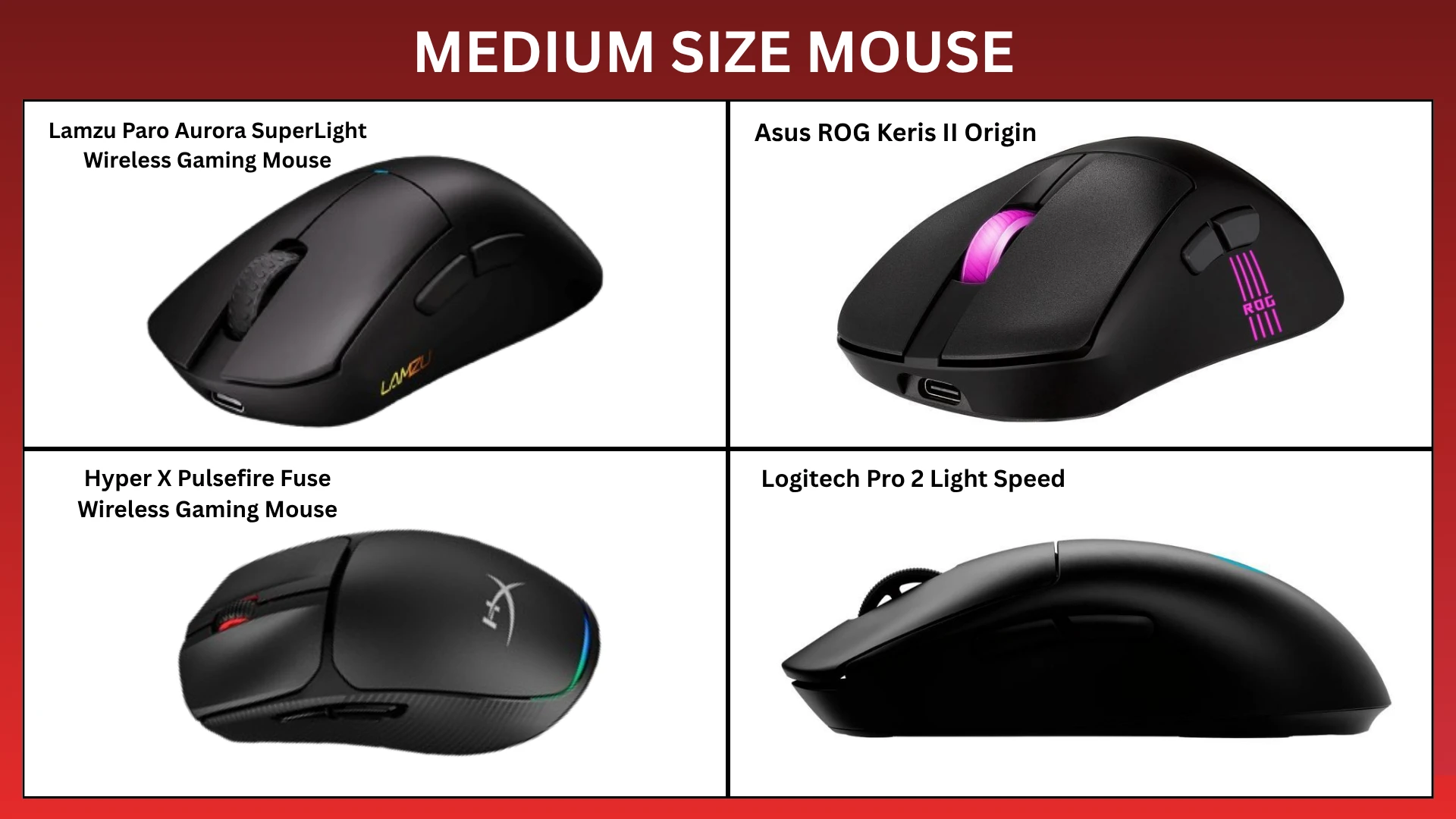
Mouse Size Guide
|
Size |
Length (mm) | Width (mm) |
Notes |
| Small | < 155 mm | < 60mm | Ideal for fingertip grip or small hands |
| Medium | 155 - 125 mm | 60 - 70 mm | Suitable for most users; palm or claw grip |
| Large | > 125 mm | > 70 mm | Best for larger hands or full palm grip |
Hand Size Guide
| Size | Measurement (cm) | Measurement (inches) |
| Small | Less than 17.5cm | Less than 6.9 inches |
| Medium | 17.5cm | 6.9 - 7.5 inches |
| Large | Over 19cm | Over 7.5 inches |
Note: Keep in mind, if your hand size doesn’t match your mouse, it could affect your comfort and how naturally your grip style works. Your grip style can change depending on the size of your mouse and how well it matches your hand size.
Example:
Small hands + Large mouse = You’ll probably end up using a palm grip, even if you don’t want to. Fingertip grip might not work well here since big mice are usually heavier and harder to control with just your fingers.
Large hands + small mouse = You might be stuck using a fingertip grip, just because there’s not enough space to rest your palm.
Comfort and Ergonomics
No matter which grip style you choose, it's important to maintain a neutral wrist position to ensure comfort and prevent strain. Your forearm, wrist, and fingers should ideally form a straight line. Instead of just moving the mouse with your wrist, use your elbow to have better control. If necessary, consider a mouse pad with wrist support. Something like the Deltahub Carpio is a great option since it supports your wrist while still letting you move it freely.
Remember to take breaks and switch grip styles periodically to avoid fatigue. Additionally, experimenting with different mouse shapes and sizes can help you find the best fit for your hand.
Recommendation
Conclusion
In summary, knowing your mouse grip style is important for improving gaming performance and comfort. Each grip (palm, claw, and fingertip) has its own benefits for different hand sizes and types of games. Picking the right grip helps you aim better, move faster, and have more control while reducing strain.
Think about your hand size, the shape of the mouse, and comfort to find the best option. Trying out different grips and taking breaks often will improve your gaming experience.













Comments